
The new AgencyOSX
Our biggest release ever. AgencyOSX has been rebuilt from the ground up: a new workspace with Alex, your always-on co-pilot, deep client and agency intelligence, live Meta Ads dashboards, automation workflows, our new OSX LLM trained model, built-in support, and a public API.
New experience
NewA brand-new workspace#
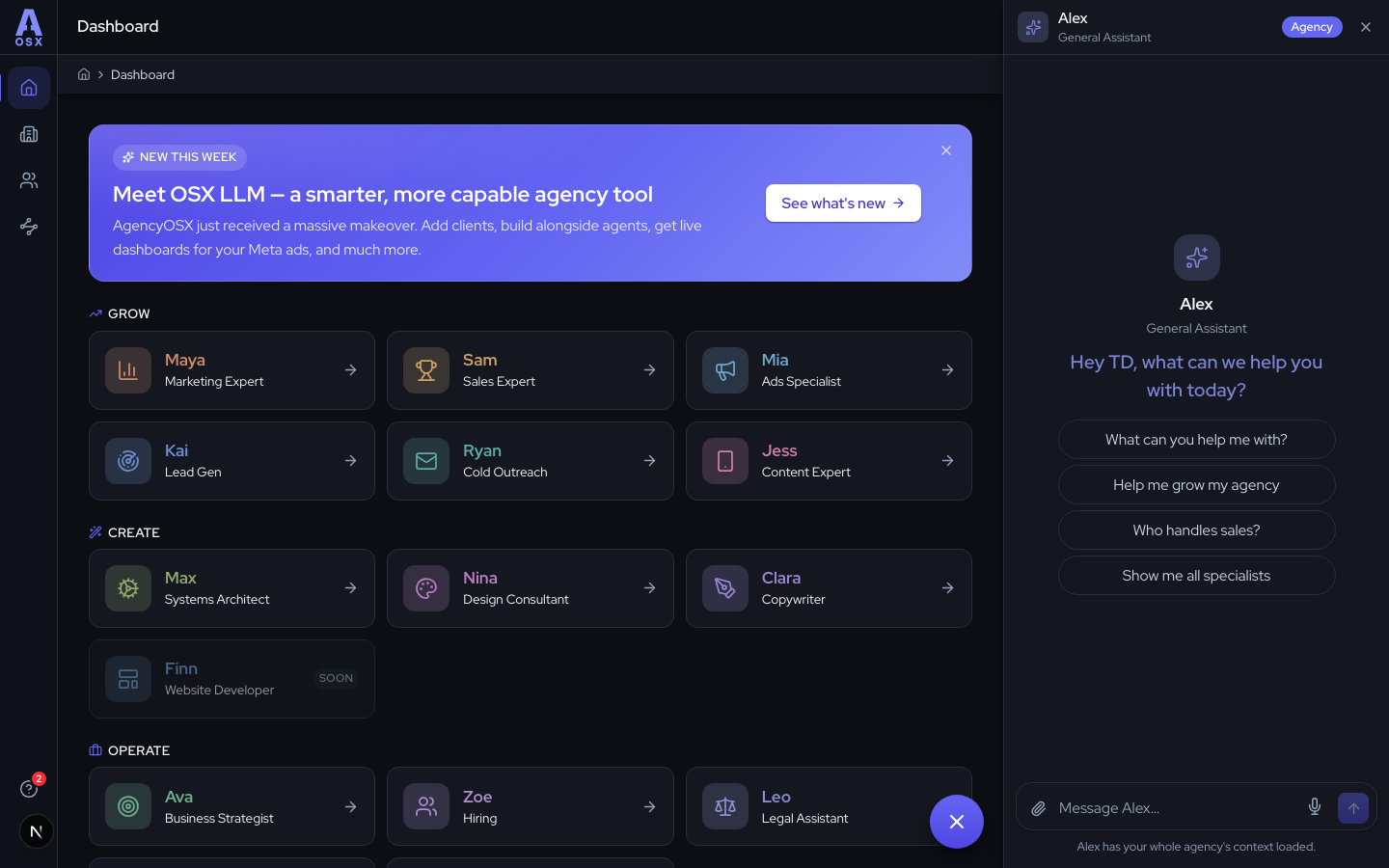
The whole app has been redesigned around how you actually work. Home now groups every specialist by what they help you do — Grow, Create, and Operate — so you jump straight to the right one instead of scanning a long list.
A unified header with clickable breadcrumbs keeps you oriented everywhere, the sign-in experience got a full refresh, and the workspace looks sharp in both dark and light mode.
New feature
NewMeet Alex, your always-on co-pilot#
Alex lives in the bottom-right of every screen and already knows your agency's context. Ask anything — and when a task needs deeper expertise, Alex hands you to the right specialist with a one-tap suggestion.
Alex doesn't just answer, it acts:
- Add clients for you — paste a list or drop in a screenshot and Alex creates them all.
- Rename or remove clients on request.
- Write up and file a support ticket when something's not right.
Client management
NewA home for every client#
Clients are now first-class in AgencyOSX. The new Clients section gives every client its own workspace: add them one by one or import in bulk, find anyone instantly with search, and open a client to see everything in one place.
Inside a client's workspace, each specialist keeps a separate conversation history for that client — so Mia's ad reviews for one account never blur into another's. A guided onboarding flow captures the basics and lets you upload briefs and documents as you go.
Client management
NewAva turns notes into client intelligence#
Every client now has an Overview: niche, fees, goals, ideal customer, point of contact, even a location map — all on one dashboard. And you never fill in a form to build it.
Just talk to Ava. Tell her about the client in plain English — she captures the details, keeps the profile current, and writes the brief every specialist reads before answering in that client's workspace. No more re-explaining the basics at the start of every chat.
Agency profile
NewYour agency, mapped#
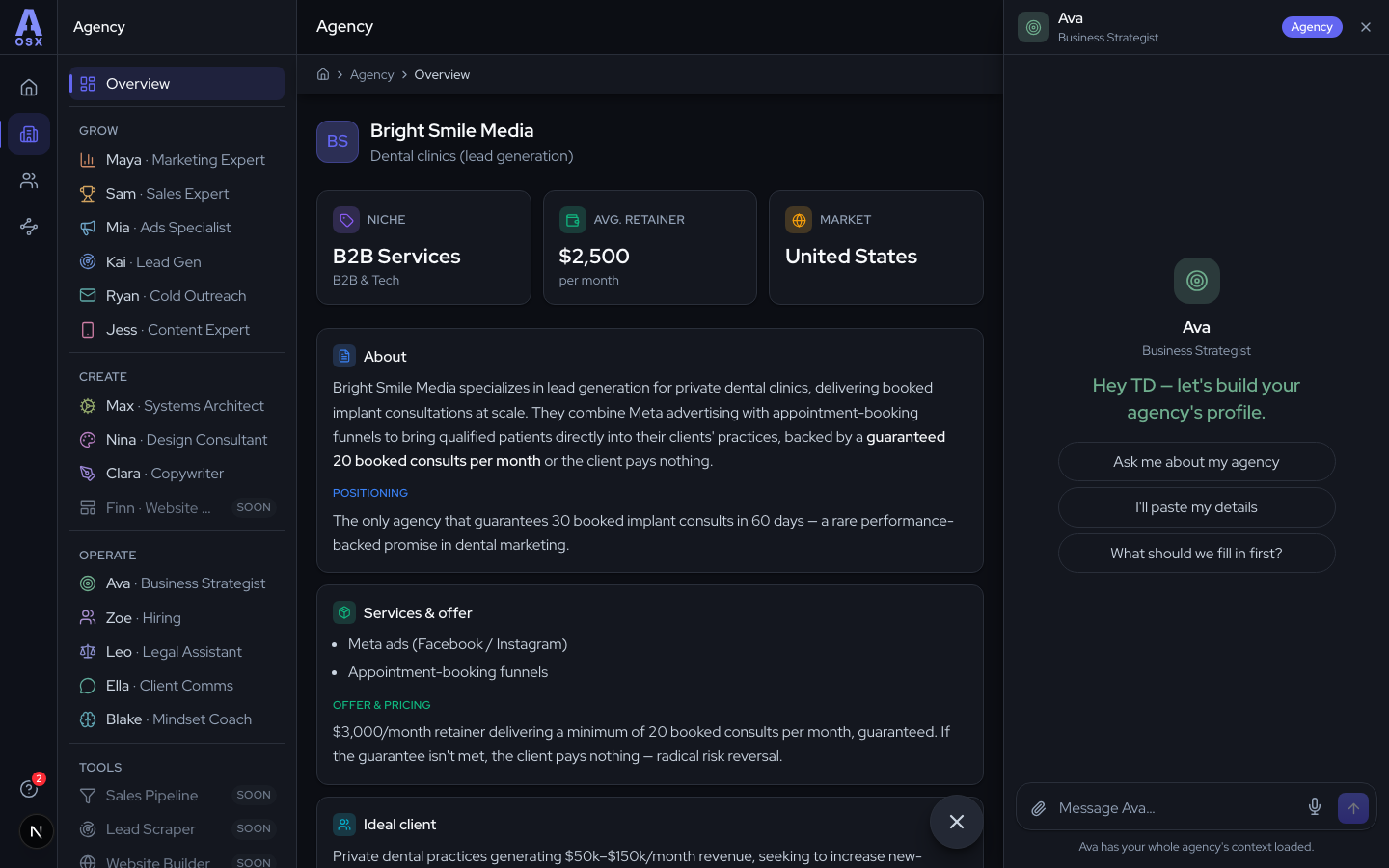
The same treatment, one level up: the new Agency Overview maps your own business — niche, ideal client, offer, brand DNA, and market. Ava interviews you to build it, and every agent draws on it in every conversation, so advice always fits the agency you're actually running.
Reporting
NewLive Meta Ads dashboards#
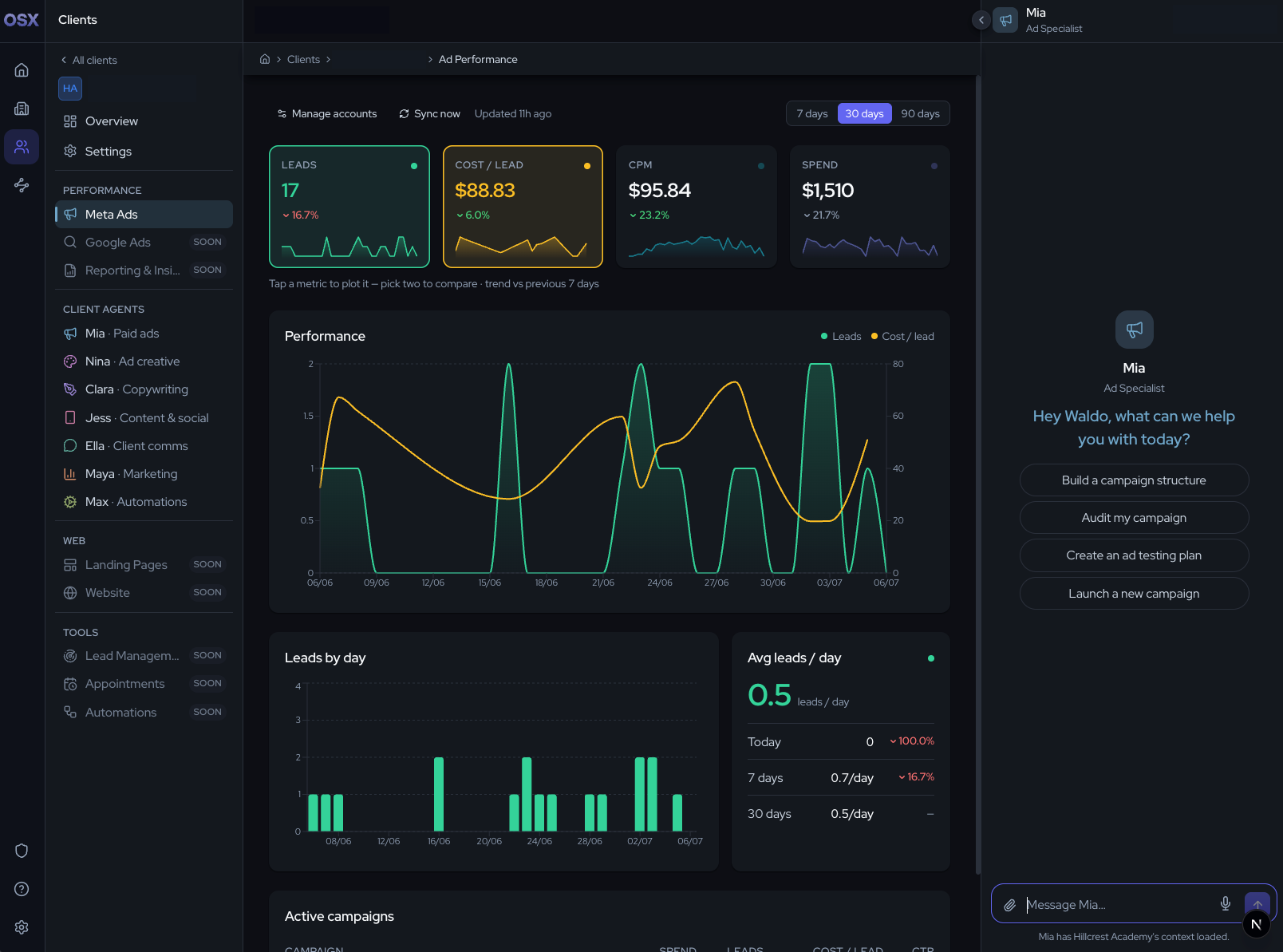
Connect Meta and get live lead-generation dashboards at both levels: your whole agency, and each client. Pick which campaigns belong to which client and the numbers stay scoped and synced automatically.
Each client dashboard shows leads, cost per lead, CPM, and spend as toggleable cards with trend sparklines — flip any of them onto the full graph, and see leads day by day. Mia, your Ads Specialist, reads the same live numbers when you chat with her inside that client's workspace.
Automation
NewWorkflows, built with Max#
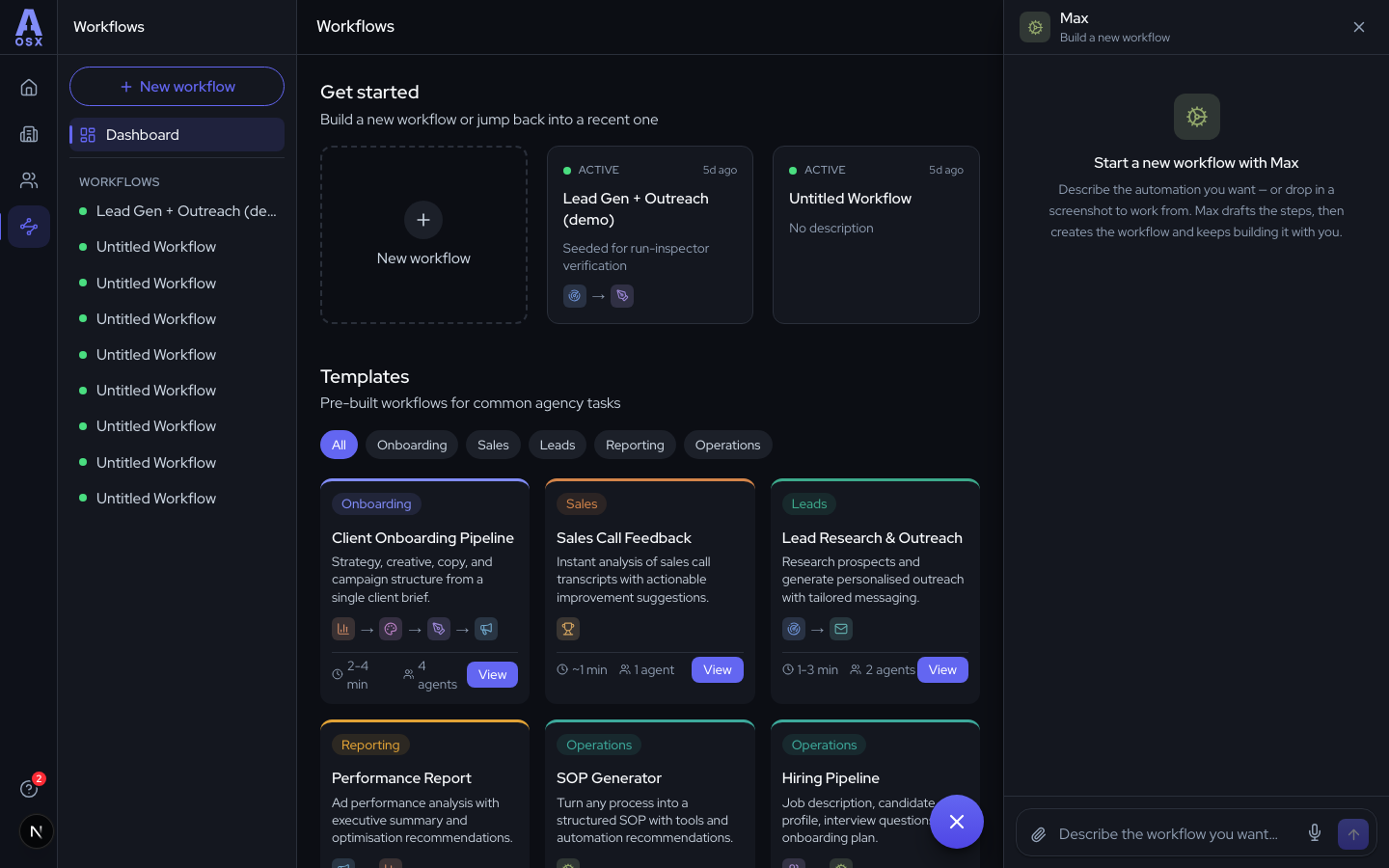
Chain your specialists into repeatable automations. Start from a template — client onboarding, sales-call feedback, lead research, performance reports — or describe what you want and Max drafts the workflow for you, then keeps building it alongside you.
Every run is inspectable step by step: what went in, what came out, and what it cost. Workflows stay off until you're ready to switch them on.
The new AgencyOSX brain
NewMeet OSX LLM#
OSX LLM is the new brain of AgencyOSX — a model trained on real agency knowledge and expertise, and it keeps learning. It's built to do more than answer questions: it coaches you on growing your agency, and takes action on your behalf across the platform. It's powerful where it matters and efficient where it can be — in many cases, cheaper than before.
Because OSX LLM handles everything natively, the old Claude and Gemini integrations are retired — you simply don't need them anymore.
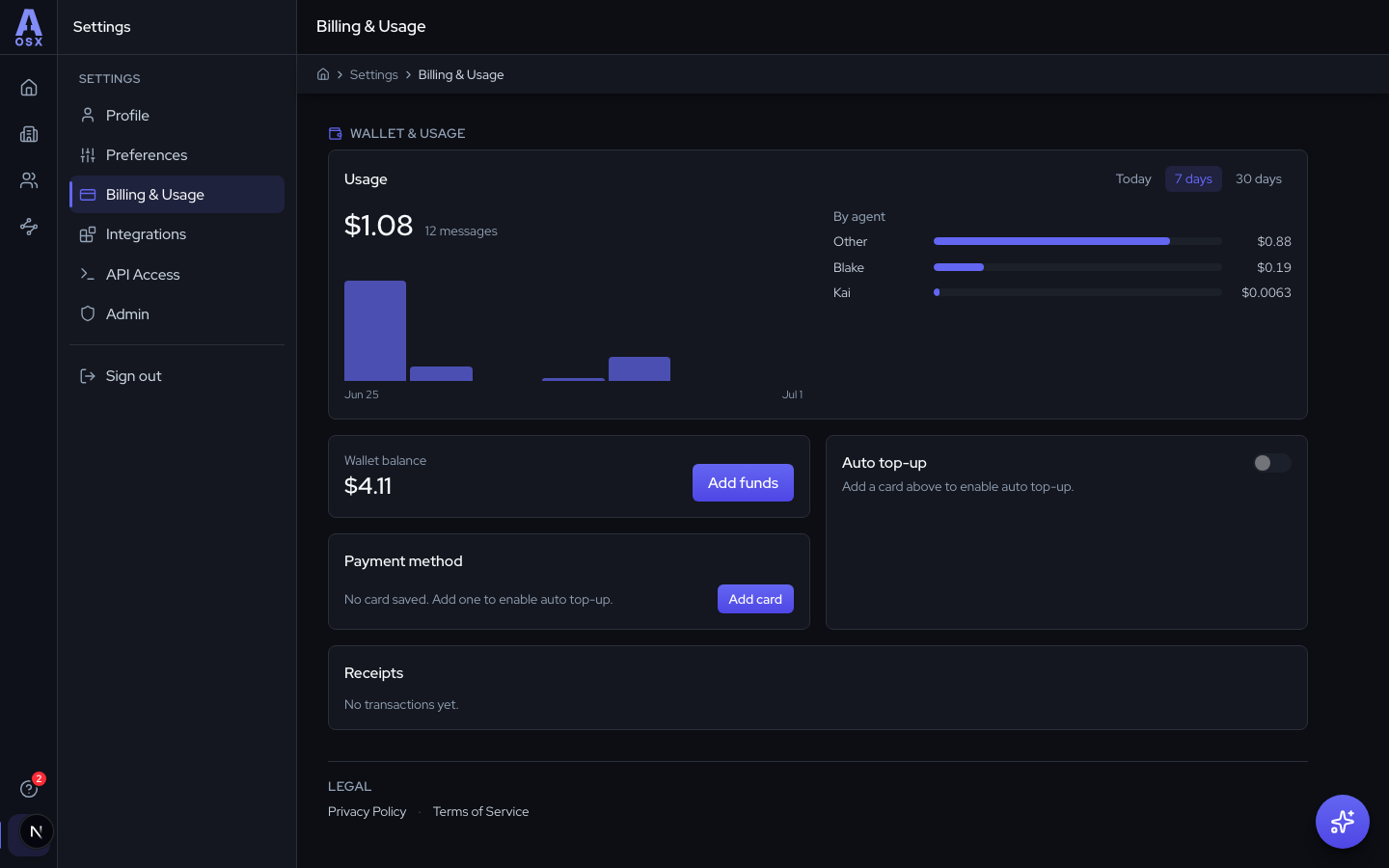
Powering it all is your wallet. Moving forward, AgencyOSX runs on a funded balance: one place to add money, no API keys, no subscriptions — you only ever pay for what you actually use. Top up in Settings → Billing & Usage, switch on auto top-up so you never run dry, and see usage broken down by agent with a receipt for every payment.
Support
NewHelp, built in#
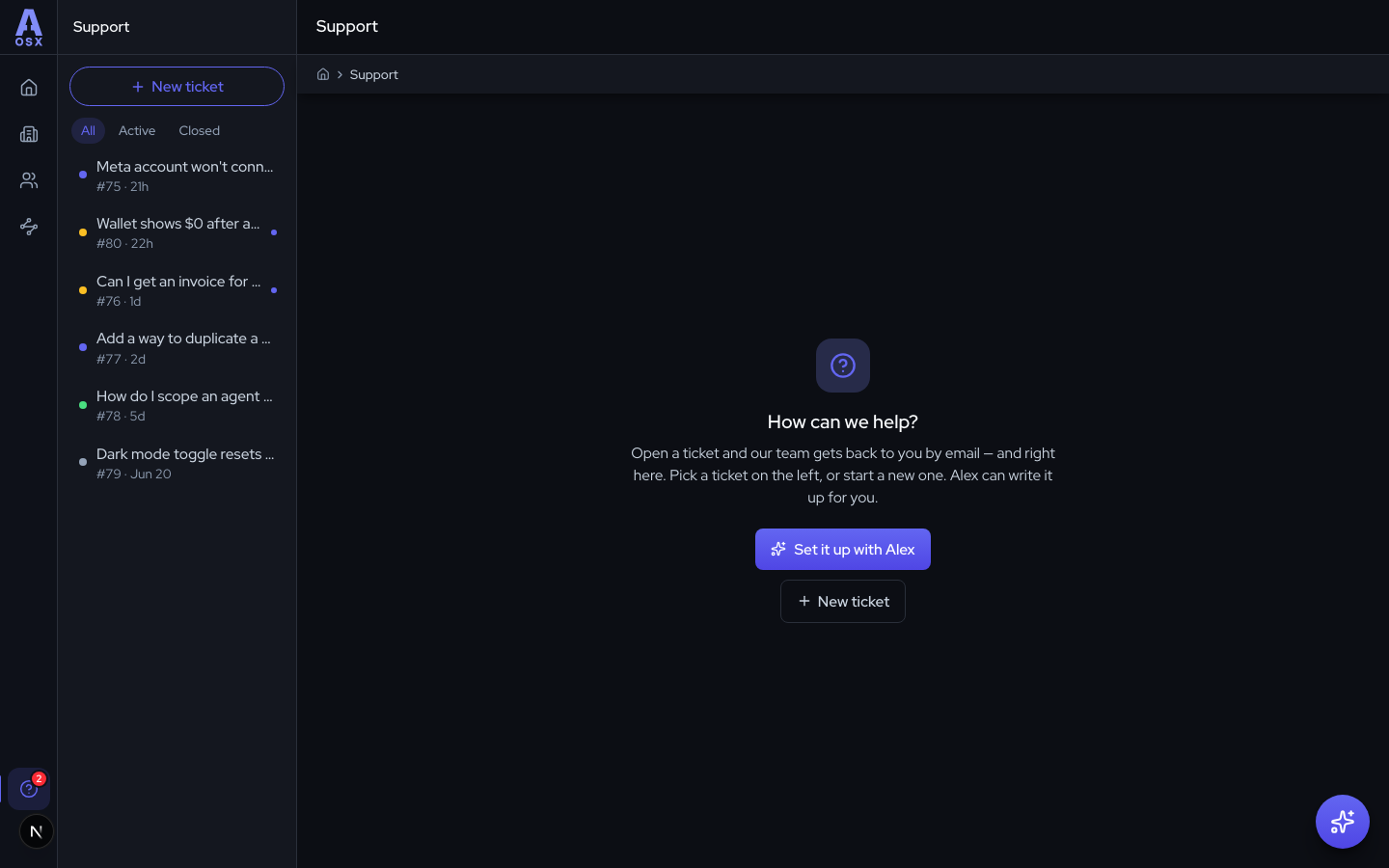
Support now lives inside the app. Open a ticket from the help icon, follow the whole conversation in a thread, and get replies by email too — with a badge on the help icon whenever there's something new. When it's resolved, tell us how we did.
In a hurry? Describe the problem to Alex and it writes up and files the ticket for you.
Developers
NewA public API and MCP server#
Your agents are now programmable. The new REST API lets you list agents, send messages, manage clients, and read workflow runs from your own tools — and the MCP server plugs AgencyOSX straight into Claude Desktop, Cursor, and other AI apps.
Create a token in Settings → API Access and you're away. The full reference lives at /api-docs, and usage bills from the same wallet.
Chat improvements
ImprovedSharper conversations everywhere#
Every chat surface got faster and more capable:
- Replies stream in live, with a status line while an agent is searching or working.
- Paste a screenshot or drag a file straight into the composer to attach it.
- Speak instead of type with voice input.
- Conversations carry your agency and client context automatically, and name themselves after your first message.
Announcements
NewA new home for what's new#
You're looking at it. Every release now gets its own illustrated article, with a sidebar to jump between updates and sections, and a shareable link for every part of it.
Roadmap
What's next#
Shipping this release doesn't mean slowing down — it sets the foundation for what's coming. No dates and no promises yet, but here's a taste of what we're working on:
- Launching campaigns, not just tracking them — kick off and manage Meta and Google Ads campaigns straight from AgencyOSX.
- Reporting you can hand to a client — polished client reports, white-label dashboards, and deeper attribution so you can prove exactly what your campaigns delivered.
- A home for your leads — capture, manage, and follow up on every lead your campaigns generate, without leaving the platform.
- Creative production — generating ad creatives and landing pages right where your campaigns live.
- Team access — grant your whole team full access to the platform, with permissions to control what each member can see and do.
- More of your agency's day-to-day in one place — projects, scheduling, documents, comms, and the other tools you're juggling separately today.